
Chasing Radiosondes or Radios from Heaven!
- Details
- Written by: G Wolfe (KIØKK)
The SFTARC Tech Night for January 2026 was a presentation by Mike Laney (KEØGHU) on Chasing Radiosondes. Mike provided details about the devices used, web sites used for tracking and data provided by the RadioSonde. There are also several stories about retrieval of the device.
Mike also provided this information with links:
- Here is google group https://groups.io/g/KcBalloonChase if you want to let others know you are going after a Sonde in the KC Metro
- Here is a link on how do build the tracker that interfaces with phone app to suppliment radio when tracking down sonde https://mysondy.altervista.org/mysondygo.php
Spark-Con 2025
- Details
- Written by: G Wolfe (KIØKK)
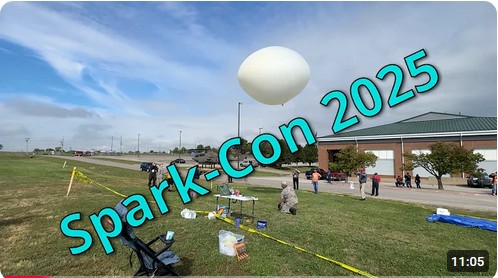
Tom, WA2IVD, presented a video on his Ham Radio A2Z channel of selected events at the Spark-Con 2025 ARRL Midwest Convention on October 11, 2025 in Sedalia , Mo.
Additional pictures of the Hamfest and Banquet may be viewed in the club Picture Album (click Picture Album to view)
Tech Night (Sep 2025) - Kit Building
- Details
- Written by: Jeff Darby (KSØJD)
Joe Eisenberg, KØNEB, presented on Kit Building Techniques for Success. He currently writes the "Kits and Kit-Building" articles for The Spectrum Monitor and has authored the Construction Techniques chapter of the ARRL Handbook since 2014, was the Kit Building Editor for CQ Magazine since 2009 and has been a guest speaker at Dayton Hamvention more than 33 times.
Tech Night - AREDN Mesh Networks
- Details
- Written by: Greg Wolfe
The August 2025 SFTARC Tech Night was a presentation by Greg Wolfe (KIØKK) on AREDN Networks, a comparison with Meshtastic and information about the KC area Mesh network.
Additional information:
ARDEN Web site: https://www.arednmesh.org/
KC Mesh Groups.io Page: https://groups.io/g/KCmesh/topics
CW Keyer a Hit at Huntsville
- Details
- Written by: G Wolfe (KiØKK)
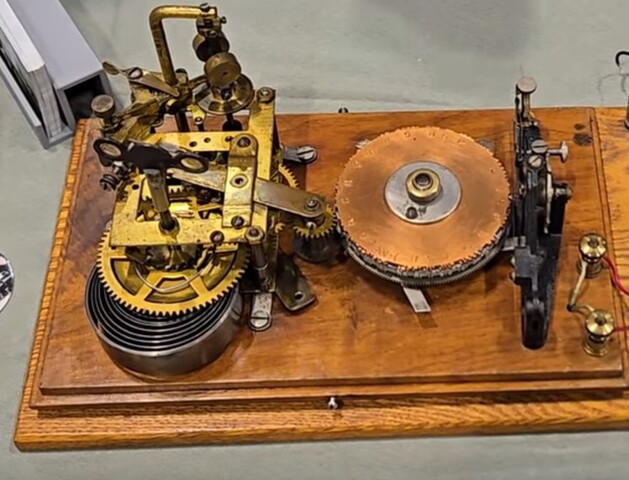
Marshal Ensor's CW keyer was a hit at the Huntsville Hamfest. Amateur Logic TV and several others interviewed Tom WA2IVD, Howard NØAZ and Jeff KSØJD about the Ensor Park and Museum with a special focus on the CW Keyer.
Additional Links:
Carlos, KD9OLN. His channel is LifeAtTerminalVelocity. This link is just before the keyer:
This is FEP Labs Radio. They opened their livestream with the keyer: